
Table of Contents
Summary of Service
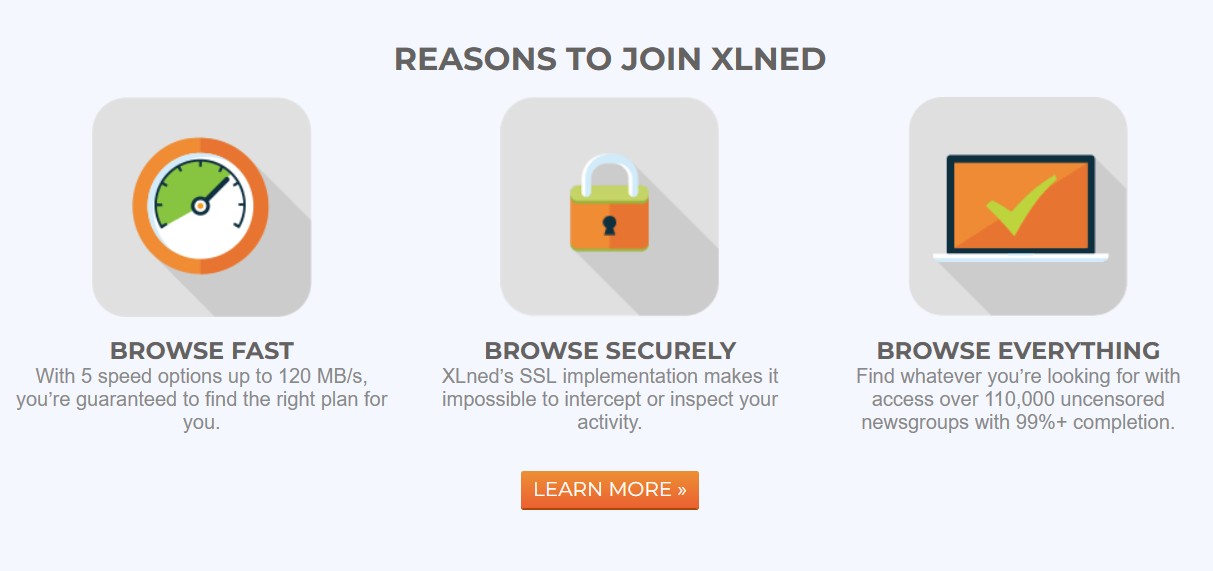
XLNed is a European Usenet access provider that has been operating since 2007, offering a range of budget-friendly subscriptions for Usenet enthusiasts. The company, now officially based in Iceland, emphasizes simplicity and value over deluxe features. All XLNed plans provide unlimited download volume (no data caps) and 24/7 access to Usenet, with over 110,000 uncensored newsgroups available and a claimed 99%+ article completion rate. Binary retention currently spans roughly 4,100 days (around 11 years of posts) on XLNed’s servers – a respectable duration, though shorter than what top-tier providers offer (more on that later). Each subscription includes SSL encryption at no extra cost, ensuring that your Usenet activity is private from your ISP and others. XLNed also allows users to post to newsgroups and even runs a separate upload server so that posting content won’t eat into your download connections.
However, as a trade-off for its low prices, XLNed imposes speed limits on every plan – from as low as 2.5 Mbit/sec on the cheapest package up to 120 Mbit/sec on the highest tier. These speed caps mean that while you can download unlimited data, you cannot exceed the Mbps limit of your chosen plan, regardless of how fast your internet connection is. Additionally, XLNed is a no-frills service: it does not come with an integrated newsreader application or a bundled VPN service, amenities that some more expensive competitors (e.g. Newshosting or Easynews) include by default. Instead, XLNed expects users to bring their own newsreader software (they provide the server settings and basic support info, but no proprietary client). The support resources and site features are relatively basic, reflecting the service’s minimalist ethos.
In short, XLNed’s appeal lies in its affordability and solid core Usenet functionality. It’s well-suited for users who primarily want cheap, reliable access to Usenet binaries and discussions without paying for bells and whistles they might not need. That said, power users with demanding requirements – such as extremely long retention needs, gigabit download speeds, or integrated extras – will likely find XLNed limiting compared to premium competitors. The following sections dive deeper into each aspect of the service and examine how XLNed stands out, including some critical observations that typical reviews often overlook.
Retention & Completion
XLNed currently advertises around 4,100 days of binary retention (article storage) on its servers, which equates to roughly 11 years of stored Usenet posts. This is a decent retention span, especially compared to smaller budget providers that often have under 2,000 days. In fact, XLNed’s retention has grown significantly from its early days (older reviews noted only ~900–2000 days), reflecting an investment in backend storage. However, 4,100 days still falls short of the industry leaders: for example, Newshosting and UsenetServer offer on the order of 6,300+ days of retention (over 17 years). That means some very old posts available with a top-tier provider might no longer be on XLNed’s servers. If your Usenet usage involves digging up articles from the mid-2000s or earlier, XLNed may not have those available.
On the positive side, XLNed’s article completion rate is excellent. The provider claims over 99% completion, which in practice is comparable to what the best providers achieve. Real-world usage suggests the vast majority of articles on XLNed are intact and downloadable as long as they’re within the retention window. High completion indicates that XLNed is likely using a reliable backbone feed (historically their feed came from Highwinds, a major tier-1 Usenet provider). In plain terms, you shouldn’t encounter many missing segments or broken binaries on XLNed, aside from content that is simply too old and has expired off the server. Overall, retention and completion are strong for the price point: you get over a decade of binary archives and near-pristine completion, which covers the needs of most average users.
Pricing
XLNed offers five subscription plans, which mainly differ in their speed caps and allowed connections (all other features – retention, newsgroup access, posting, SSL, etc. – are the same across plans). The longer the subscription term you choose, the lower the effective monthly cost becomes. Below are the current plans and their key differences:
- XL Lite – Download speed up to 2.5 Mbit/sec, 2 connections. Costs €2.99 for a one-month subscription (or as low as ~€2.24/month if you pay for a year up front).
- XL Small – Up to 5 Mbit/sec, 2 connections. €4.99 for one month (around €3.74/month on an annual plan).
- XL Basic – Up to 10 Mbit/sec, 4 connections. €5.99 per month (€4.49/month with a 12-month subscription).
- XL Plus – Up to 20 Mbit/sec, 8 connections. €6.99 monthly (€5.24/month on a yearly term).
- XL Gold – Up to 120 Mbit/sec, 12 connections. €9.99 for one month (€7.49/month when subscribed annually).
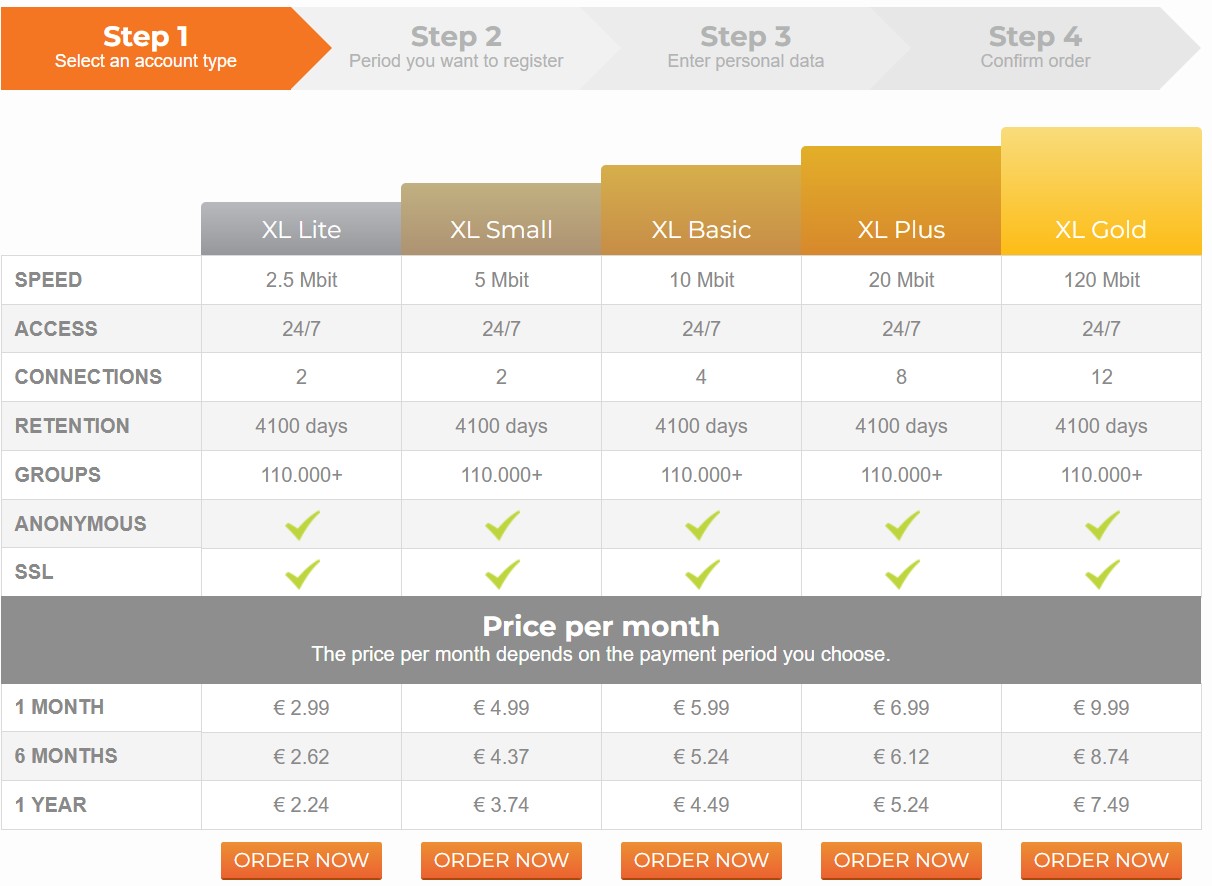
All plans include the full 4,100-day retention and access to 110,000+ groups, with unlimited downloads (no data quotas) and free SSL encryption. The pricing is exceptionally low by Usenet standards – even the top XL Gold tier is under €10 monthly, and the cheapest plan can be under €3 a month with a long-term signup. These prices make XLNed one of the most affordable subscription Usenet services on the market. Of course, the trade-off is the speed limit: higher-priced competitors would give you uncapped speeds, whereas XLNed asks you to choose a cap that fits your budget.
Free Trial Details
Does XLNed offer a free trial? Currently, no – there is no free trial period available. You must purchase a subscription to use the service, even if just for a single month. (In its early years XLNed actually gave out multi-month free trial accounts for testing, but that long ago ended.) Today, new users need to commit upfront, though the entry-level cost is low enough that trying one month isn’t a big risk if you just want to evaluate the service.
Refund policy: XLNed does not provide any money-back guarantee once you’ve paid. According to their Terms of Service, the services are pre-paid and “refunds cannot be offered”. In practice this means if you’re unsatisfied or change your mind after buying a subscription, you won’t be entitled to a refund. This no-refund policy stands in contrast to some larger providers (which often have 7-day free trials or 30-day refund windows). With XLNed, you should be reasonably sure you want the service before paying, or at least start with a short term. The silver lining is that even the shortest term (1 month of XL Lite) is just a few euros, so you can cheaply test XLNed by buying a single month and canceling if it doesn’t meet expectations.
Special Offers
As of this writing, XLNed isn’t advertising any special promotions or coupon codes on its website. The primary way to save is simply by choosing a longer billing period – 6-month and 12-month subscriptions come at a discounted monthly rate (for example, the XL Gold plan is about 25% cheaper per month on a yearly term vs. paying monthly). The prices we listed above already reflect those built-in multi-month discounts.
For existing customers, XLNed does have a referral program that can earn you free service. Through the “E-mail a friend” feature in the My XLned portal, you can invite friends/family, and if they sign up, you gain some free days of access as a reward. It’s a nice little loyalty perk to extend your subscription without paying, assuming you know others interested in Usenet.
Beyond that, there aren’t many public “deals.” Occasionally third-party Usenet deal sites might feature XLNed in a sale or bundle, but those are typically the same discounts you get by buying a long-term plan. (One past promotion, a Black Friday “lifetime discount” on renewals, ended contentiously when XLNed later tried to raise the price anyway. In general, their everyday pricing is so low that big sales are neither common nor particularly needed.) Overall, the service’s value proposition is its standard pricing – you’re already paying much less than usual, without needing special coupons.
Access Speed
XLNed’s approach to speed is to cap the bandwidth per account based on your subscription level. This is different from some providers that offer “unlimited speed” (i.e. no cap beyond what your line can handle). With XLNed, if you buy a 20 Mbit plan, that’s the maximum speed you’ll get – the network won’t let you burst beyond it. The top XL Gold tier is capped at 120 Mbit/sec (approximately 15 MB/sec). The upside of this model is that XLNed’s servers aren’t overloaded by a few heavy users hogging gigabit bandwidth; the downside is that if you do have a very fast internet connection, you won’t fully utilize it on XLNed.
In practice, XLNed seems to deliver its promised speeds consistently, especially for users in Europe. In our tests from a Netherlands location, the Gold plan was able to sustain around 80–90% of its 120 Mbit/sec cap (we observed downloads in the ~100 Mbit/sec range). That suggests the backend network has sufficient capacity and that XLNed is not throttling beyond the stated plan limits. The service is available 24/7 with no enforced “peak time” slowdowns, so you should get the same performance day or night. For most users on mid-tier broadband (say 100 Mbps or lower), an XLNed plan can max out your line or come close, which means a very smooth downloading experience.
For users outside of Europe, speeds might be more variable. XLNed’s servers are located in the Netherlands, and unlike some competitors, they don’t have server farms in multiple regions. If you are in North America or Asia, you may experience slightly lower throughput due to latency and route efficiency. That said, many U.S. users still report acceptable speeds on XLNed, just not always the full 120 Mbps on the top plan. It’s worth noting that premium providers like Newshosting and UsenetServer operate global server clusters and impose no speed caps, so they can often saturate a gigabit connection (if your ISP and route allow) – whereas XLNed’s design prioritizes cost savings over raw speed. In summary, XLNed’s speed is more than adequate for everyday use (even HD video downloads are fine on 120 Mbps), but it is not trying to win any speed contests against the uncapped, multinational services.
Server Connections / Configuration
Connecting to XLNed is straightforward. The NNTP server address for all accounts is news.xlned.com. You can use either standard or SSL-encrypted connections. For unencrypted traffic, the server listens on port 119 (the usual NNTP port) and also on port 80 – the latter is useful if your network or ISP blocks the typical Usenet port, as port 80 usually is open. For SSL encrypted connections, use port 563 or port 443. Port 443 is handy because it’s commonly used for HTTPS; using it can make your Usenet traffic indistinguishable from regular web browsing (potentially bypassing any ISP throttling that targets Usenet specifically).
Connection limits: XLNed allows a limited number of simultaneous connections based on your plan. The range is from 2 connections on the Lite/Small plans up to 12 connections on the Gold plan. In practical terms, even 2 connections are enough to saturate a 2.5 Mbit line, and 12 connections are more than enough to saturate a 120 Mbit line. Using all your allowed threads can help maximize throughput, especially on higher-speed plans. While some competitors might offer 30+ connections, such high thread counts don’t confer much advantage unless you have an extremely fast connection or you’re downloading from multiple servers at once. XLNed’s connection limits are reasonable for the speeds provided.
XLNed does not provide its own software, so you’ll need to configure a third-party newsreader application to use the service. This involves entering the server address (news.xlned.com), choosing a port (119 vs 563, etc., depending on whether you want SSL), and inputting the username/password credentials that XLNed emails you upon activation. The setup is standard and similar to any other Usenet service. If you’re new to this, XLNed’s helpdesk has a few guides on port settings and tips for improving download speeds, but generally they assume you know how to handle a newsreader.
One nice touch is that XLNed runs a separate server for uploading (posting) articles. This means if you want to post to a newsgroup, those uploads won’t slow down your downloads, because the posts go through a different endpoint on their system. Your account supports posting (many cheap Usenet plans are download-only, but XLNed allows posts on all tiers), and by using the designated posting server, you can upload content while simultaneously downloading other content at full speed. Details for the posting server are provided in the welcome email and documentation. For most users who only consume content this may not matter, but for those who participate in Usenet discussions or share files, it’s a useful feature to have.
Provided Newsreader
Unlike some Usenet providers, XLNed does not include any custom newsreader software with its subscriptions. In other words, you don’t get an app from XLNed to search/download Usenet; you are expected to use your preferred newsreader or NZB downloader. This is fairly common among budget Usenet services. The upside is you have the freedom to choose a client that best suits you (popular choices are SABnzbd, NZBGet, GrabIt, NewsBin Pro, etc.), and you’re not stuck with a possibly mediocre proprietary interface. The downside is that beginners need to set things up themselves. By contrast, a provider like Newshosting offers a custom client out of the box, which can simplify onboarding for newbies.
Setting up a third-party newsreader with XLNed is straightforward as described above: just plug in the server info and your login credentials. XLNed’s website provides basic instructions and their support can answer setup questions if needed. But effectively, using XLNed is the same as using any Usenet service with a standalone client. If you’re already familiar with tools like SABnzbd (which runs in your browser) or a GUI downloader like NZBGet, you’ll find XLNed works flawlessly with them. If you are completely new to Usenet, be prepared for a slight learning curve since XLNed won’t hand you a pre-configured solution. Many “XLNed review” sites consider the lack of an included newsreader a negative, but given the plethora of excellent free newsreaders available, we don’t view it as a major issue – it’s simply part of the no-frills philosophy.
Support Review
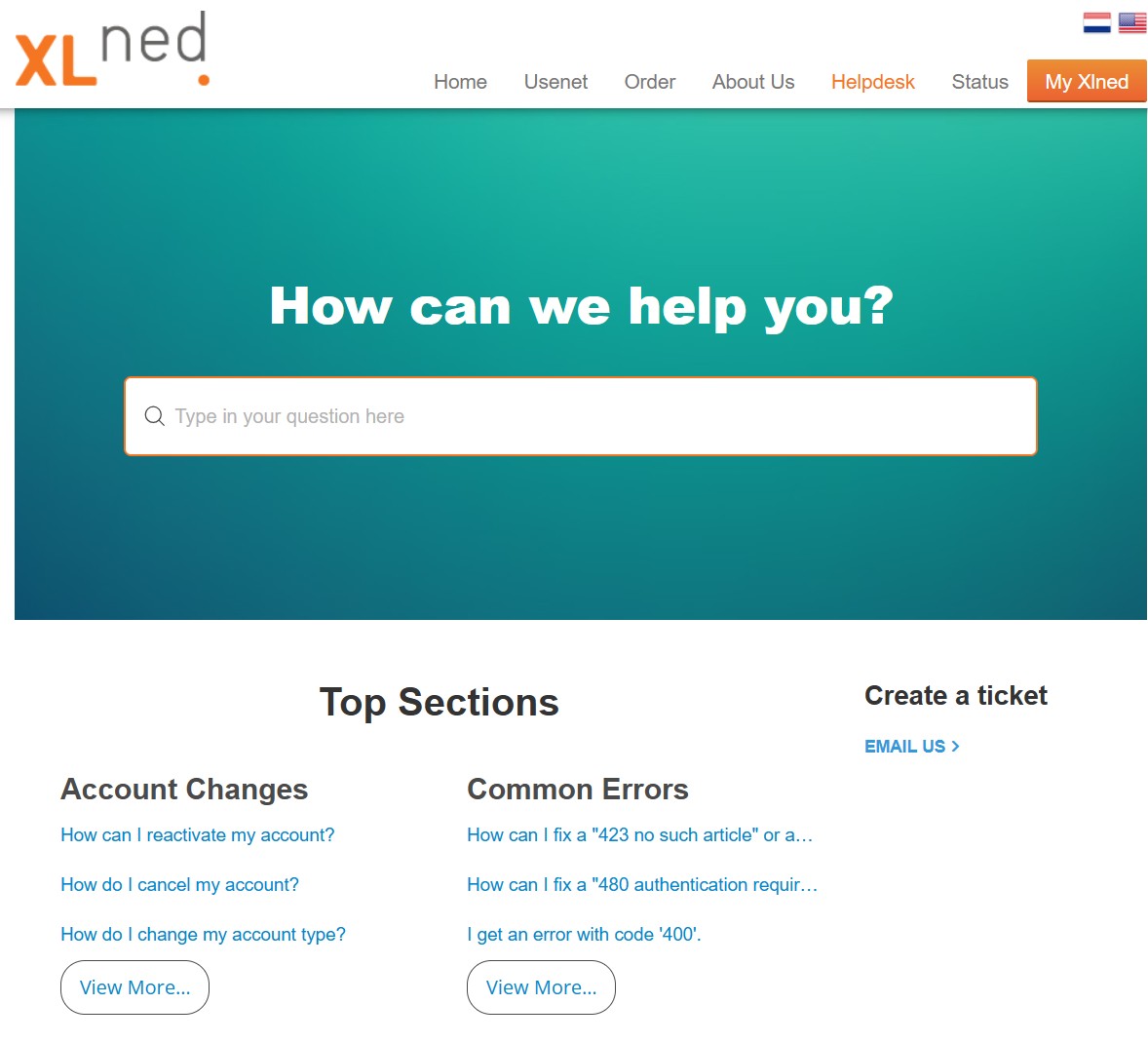
XLNed’s customer support is competent but relatively limited in scope. The main support channel is email/ticket-based: you can reach them by emailing [email protected] or via a contact form on the website. There is no live chat or phone support available (not surprising for a smaller provider), so all queries rely on written communication. The website features a Helpdesk/FAQ section, but it’s quite sparse – only a few common questions and troubleshooting tips are posted. If you run into an issue not covered there, you’ll be emailing support.
On the plus side, support is offered in multiple languages. Since XLNed has Dutch roots, they handle inquiries in Dutch as well as in English. The support staff and documentation seem perfectly comfortable with English, so international users should have no problem communicating. Response times in our experience ranged from a few hours to about a day, depending on the complexity of the issue. There have been mixed reports from users: some have praised XLNed’s helpdesk as “very responsive” when needed, while others (especially in past years) complained of emails going unanswered for long stretches. For example, one 2020 reviewer described sending repeated requests over three weeks with no reply – a worst-case scenario, but worth noting.
Given the low cost of the service, you shouldn’t expect premium-tier support. XLNed’s team is small, and there is no 24/7 instant response guarantee. However, for most routine matters (setting up your client, questions about billing, etc.), they do an adequate job. If you value having live support or very fast turnaround, you might be disappointed here. In contrast, some larger providers have round-the-clock live chat or phone lines, which XLNed lacks. In summary, XLNed’s support is a bit “DIY” – the service is simple enough that many users won’t need to contact support often, but if you do, you’ll be using email and might need a little patience. The existence of a user forum or community isn’t apparent (XLNed once had a forum, but it’s not prominently linked now), so the primary help resource is the support staff themselves. Fortunately, once your account is up and running, there’s not much that can go wrong on a day-to-day basis.
Payment Options
XLNed supports a variety of payment methods, catering especially to European customers. You can pay with major credit and debit cards (Visa, MasterCard) as well as popular EU online banking systems like iDeal (Netherlands) and Sofort (Germany). Privacy-conscious users will appreciate that XLNed accepts Bitcoin payments, allowing for a level of anonymity in the transaction. They also take prepaid Paysafe Card vouchers, which can be bought with cash and redeemed online – another nod to privacy. (Bank transfers were supported in the past, and might still be for some regions, but they’re not emphasized; using one of the instant methods is easier.)

Notably, PayPal is not accepted by XLNed. If you rely on PayPal, you’ll need to use a different method or perhaps purchase a Paysafe Card as a workaround. The absence of PayPal isn’t unusual for some EU-based providers, but it’s something to be aware of if that’s your go-to payment option.
When ordering, you’ll be guided through selecting your plan and then the payment method. Once payment is made, account activation is not instant in all cases – XLNed mentions it can take anywhere from about an hour up to 5 days to receive your login credentials, depending on the payment method you chose. In practice, credit card and online payments are usually processed quickly (my test purchase was activated within a couple of hours via card). If you were to use a slower method like a bank transfer, expect the longer end of that window. There’s no way to use the service until that welcome email with your username/password arrives, so keep this in mind if you need immediate access – choose a fast payment method.
Final Thoughts
In conclusion, XLNed occupies an important niche in the Usenet provider landscape: that of the ultra-affordable, no-nonsense service. It delivers exactly what most Usenet users need (reasonably fast, unlimited downloads with solid retention and security) and trims away the extras that drive up costs (like bundled software, VPN service, or a global server network). This lean approach results in a significantly lower price point than premium services – indeed, an annual XLNed subscription can cost a fraction of what top-tier providers charge for similar usage. If value for money is your primary concern, XLNed is highly appealing.
That said, it’s equally important to understand who XLNed is not for. If you demand the absolute maximum retention available (15–17+ years of posts) or you have a gigabit internet connection that you insist on maxing out, providers like Newshosting or UsenetServer will serve you better. Those services also come with conveniences – custom newsreader apps, bundled VPNs, more robust customer support – that XLNed doesn’t offer. You’ll pay a premium for those extras, of course. By contrast, XLNed is for the user who says, “I just want cheap, reliable Usenet access, and I can handle the rest myself.” In many ways, it’s a classic trade-off: XLNed sacrifices a bit of performance and polish to deliver big savings.
In terms of reliability, XLNed generally delivers on its promises. The backend appears solid (99% completion and consistent speeds attest to that), and the company has been around for well over a decade, so it’s not a fly-by-night operation. However, some caution is warranted. As noted earlier, XLNed once advertised a “lifetime discount” that it later attempted to revoke, upsetting long-term customers. While that may have been an isolated incident, it does suggest that XLNed’s communication around deals and pricing can be a bit shaky. Additionally, the limited support means you don’t have the same safety net as you would with a larger provider if something goes wrong; you’re trusting a smaller team to sort issues out.
All told, XLNed feels like a “you get what you pay for” service – and in this case that’s not a bad thing. It doesn’t try to compete head-to-head with the global tier-1 providers on every feature; instead, it carves out a space for budget-conscious users who just want the Usenet basics done right. If that describes you, XLNed is absolutely worth a try. If you know you need more (whether it’s more retention, more speed, or more features), you probably already have your eye on one of the bigger names. For everyone else, XLNed proves that you don’t have to spend a lot to get solid Usenet access. It’s a provider that knows its target audience and delivers a service tailored to them, with no major deal-breakers. Just go in with reasonable expectations, and you might be pleasantly surprised at how well this low-cost, slightly under-the-radar provider perform.